WRITINGUW-023
7 Differences Between Arrow Functions and Traditional Functions
The arrow function that appeared in ES6 has brought us great convenience, but it is still different from the traditional function. A little carelessness in development may cause problems, so follow me to see the 7 differences between arrow function and traditional function!
1. No arguments
In a traditional function, there is an arguments local variable. If the number of arguments to our function is dynamic, using arguments allows us to easily do things like calculating the maximum number of passed arguments:
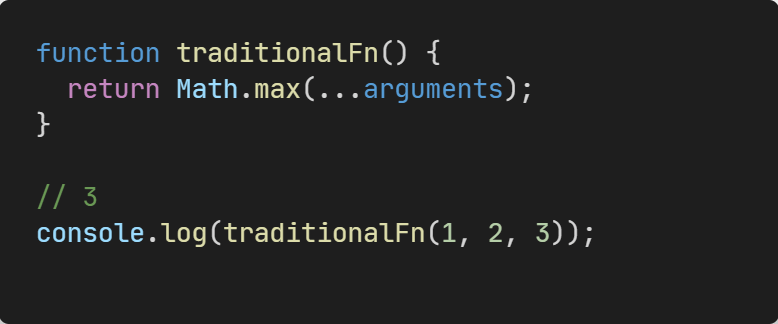
arguments is an array-like object. The similarities between array-like objects and array objects are that they can both use subscripts to access corresponding elements and have a length property. The difference is that array-like objects do not have built-in methods on arrays, but we can use Array.from converts an array-like object into an array object.
In the arrow function, there are no arguments, if we access arguments in the arrow function will return the arguments of the closest non-arrow parent function.
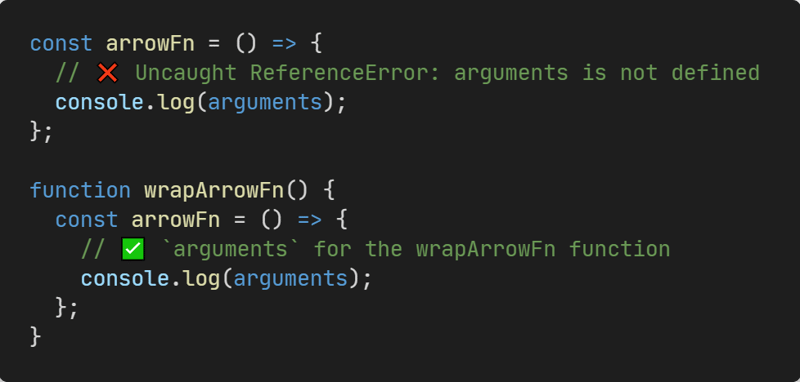
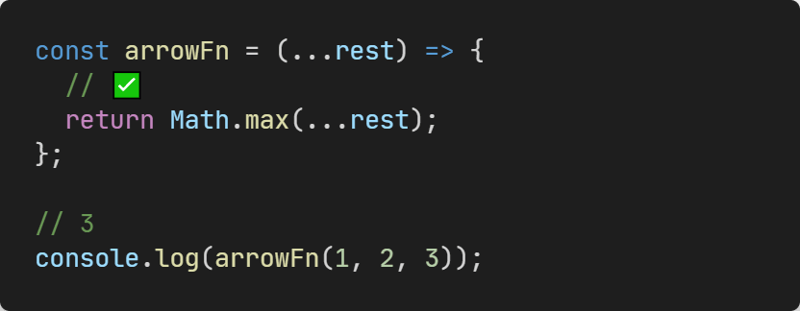
But we can use rest parameters instead, which get a normal array object.
2. Return value can omit the curly brackets
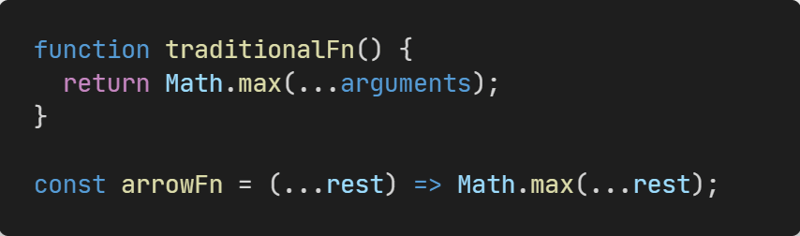
You can see that in an inline arrow function that contains only one expression, we can omit the curly braces to return the value, which makes the code clearer.
3. Duplicate named parameters are not allowed
In non-restrict mode, traditional functions allow us to use duplicate named parameters. But in strict mode, it is not allowed.
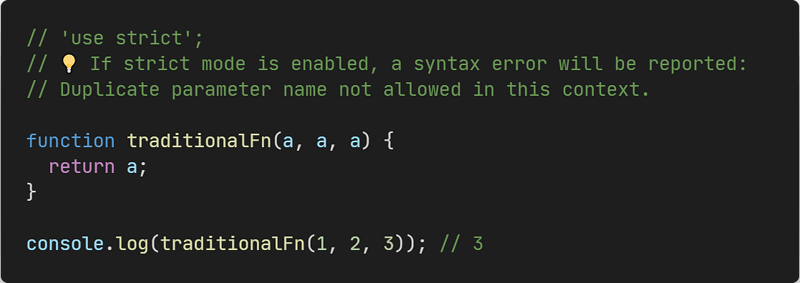
In arrow functions, parameters with the same name are not allowed whether the strict mode is enabled or not.

4. No prototype
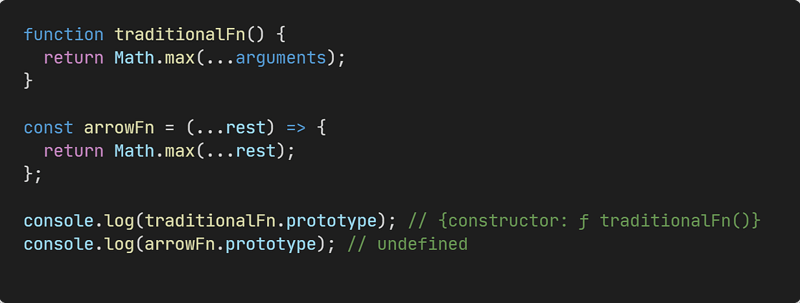
We can get prototype for traditional function, but the arrow function does not have prototype .
5. No this
In a traditional function, its internal this value is dynamic, it depends on how the function is invoked. For example:
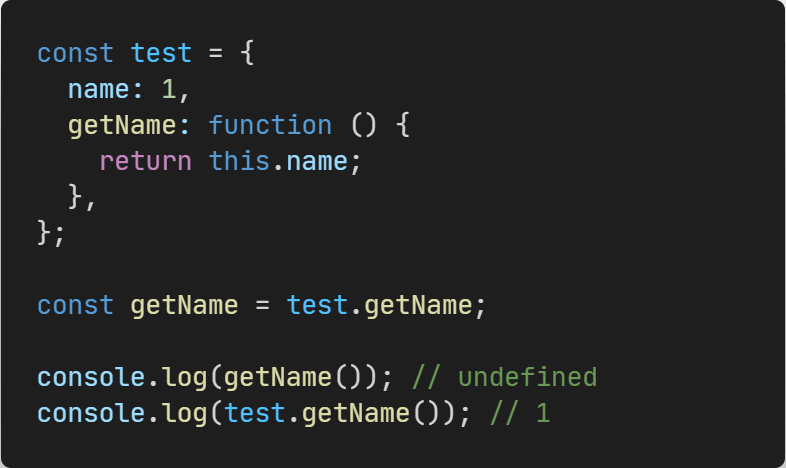
In the arrow function, there are no this, if we access this in the arrow function it will return the this of the closest non-arrow parent function.
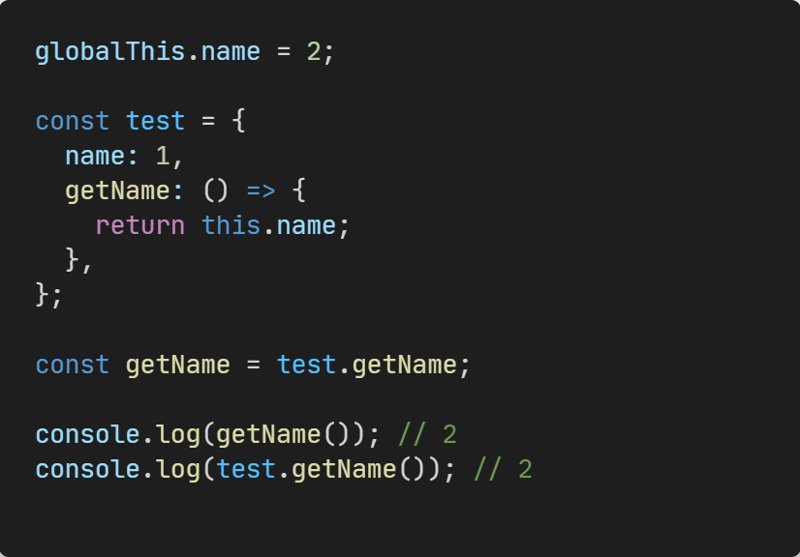
Note that the this of an arrow function is determined at the time of declaration and never changes. So call, apply, bind cannot change the value of arrow function this.
6. Cannot be invoked with new
We can use the new keyword on the traditional function to create a new object.
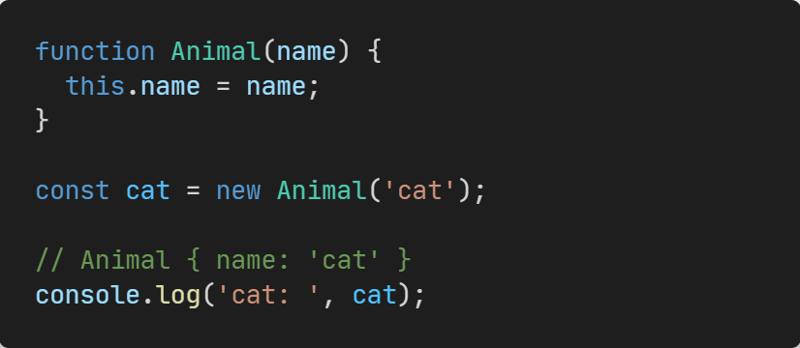
But arrow functions cannot be called with new.
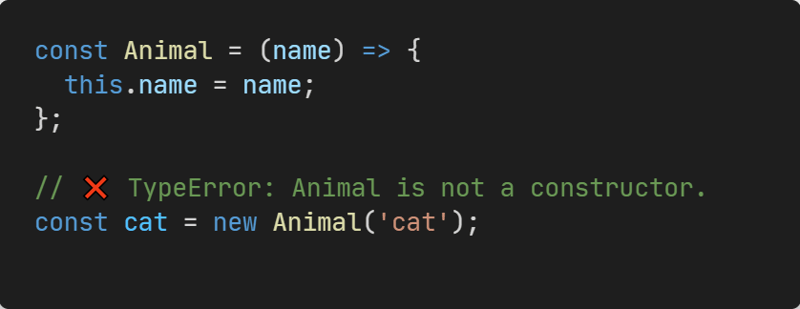
This is because when calling new, we go through the following four steps:
- Create a new object
- Point the
__proto__of the new object to theprototypeof the constructor - Call the constructor with the new object as
this - If the result of the call is an object, return the object, if not, return the new object created in the first step.
We can implement a mock new function:
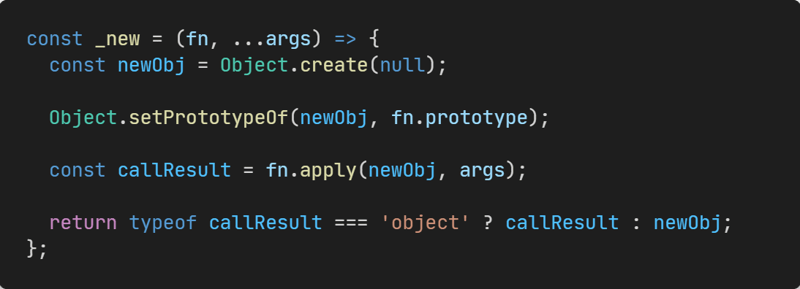
So you can see that the arrow function cannot be called by the new keyword because it has no prototype and no this.
7. Cannot be used as a Generator function
For historical reasons, the specification does not allow the use of the yield command in the arrow function, so the arrow function cannot be used as a Generator function.
To sum up, arrow functions avoid a lot of code scenarios that can lead to misunderstandings, it makes our code clearer and more controllable.
If you found this helpful, consider subscribing to my newsletter for weekly web development insights and updates. Thanks for reading!