WRITINGUW-033
7 Advanced CSS Color Properties Every Developer Should Know
CSS offers various color-related properties and functions that give developers greater control over visual elements. This article introduces some lesser-known CSS color properties, which can help you manage colors more flexibly.
1. color() Function
The color() function is a new method in CSS for defining colors, allowing developers to specify different color spaces like srgb, display-p3, and more. Compared to traditional rgb() and hsl() functions, color() is more versatile, especially for ensuring color accuracy on wide-gamut displays.
The basic syntax of the color() function is:
color(colorspace c1 c2 c3[ / A])

// Relative value syntax
color(from <color> colorspace c1 c2 c3[ / A])
Here, c1, c2, and c3 can be numbers or percentages representing components of the color space, while A is an optional alpha channel. The relative value syntax lets you derive one color from another, though it’s less commonly used.
The color() function is particularly useful for creating websites that need to look great on wide-gamut devices. For example, Apple’s Retina displays support the P3 color space, which offers more colors than standard sRGB.
Additionally, color() can be used in gradients and other effects. For instance:
.element {
  width: 200px;
  height: 200px;
  background: linear-gradient(
    to right,
    color(display-p3 1 0 0),
    color(display-p3 0 0 1)
  );
}
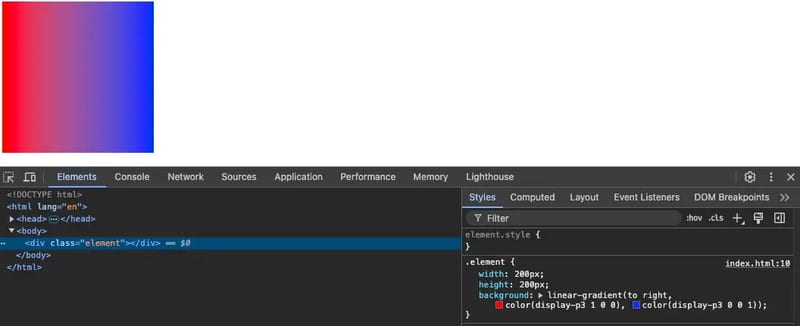
This gradient transitions from pure red to pure blue in the P3 color space, resulting in smoother color transitions than traditional rgb() gradients.
2. accent-color
The accent-color property allows developers to customize the colors of user interface elements (such as checkboxes and radio buttons) without needing to rewrite extensive styles. This is particularly useful in modern web design since form elements often default to system styles. With accent-color, you can easily match these elements to your website’s branding.
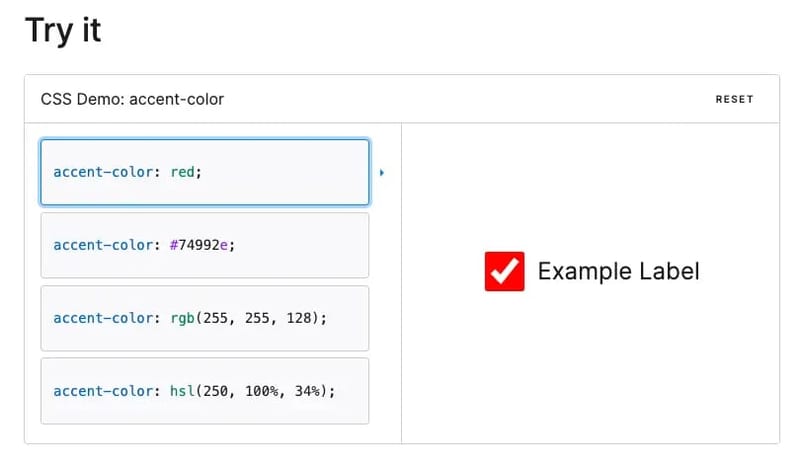
A common use case is ensuring that form controls align with a brand’s color scheme without manually styling each one.
3. currentColor
currentColor is a keyword in CSS that references the current text color of an element. This reduces redundant color definitions and ensures consistent styling across different states. For example, if you want a border color to match the text color, you can use currentColor instead of specifying a color value manually.:
.element {
  color: #3498db; /* Blue text */
  border: 2px solid currentColor; /* Border matches text color */
}
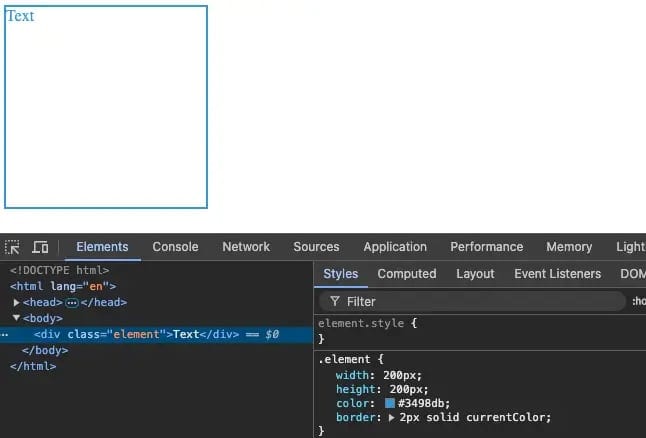
This approach simplifies code and offers flexibility. When the primary color of a page changes, styles like borders and shadows that rely on currentColor will automatically update, maintaining consistency.
4. color-mix()
color-mix() is a powerful CSS function that allows you to blend two colors at a specified ratio to create a new color. This is especially useful for creating dynamic color transitions or gradient effects where UI elements require blended colors.
The basic syntax is:
color-mix(in color-space, color1 percentage1, color2 percentage2)
Here, color-space defines the color space for the mix, color1 and color2 are the colors being mixed, and percentage1 and percentage2 define the ratio of each color. For example:
.element {
  background-color: color-mix(in display-p3, #ff6347 50%, #00ff7f 50%);
}
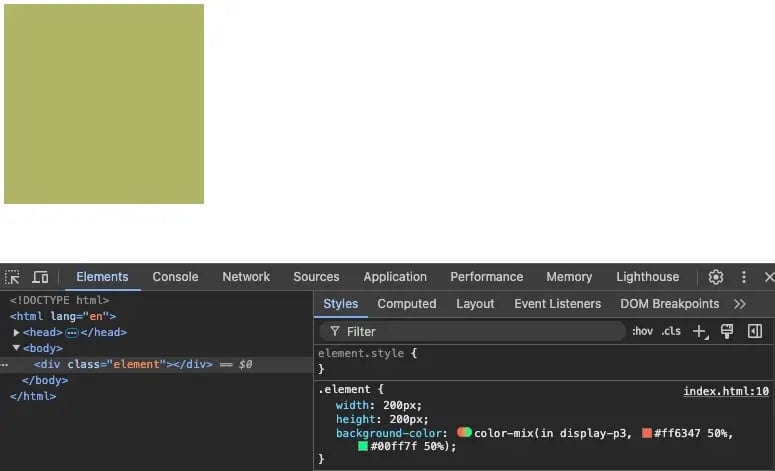
In this example, we mix #ff6347 and #00ff7f in the display-p3 color space at a 50-50 ratio, resulting in a new color.
5. Wide Gamut Colors
Wide Gamut Colors are an advanced feature in modern display technology, allowing for more colors than the standard sRGB space. In CSS, you can define wide gamut colors using color spaces like display-p3. On wide-gamut displays (like Retina screens), these colors appear richer and more vibrant.
The standard sRGB color space is the default for most devices but is somewhat limited in color range. Wide gamut color spaces, such as display-p3, can represent more colors, especially those with higher brightness and saturation that sRGB cannot display accurately.
It’s important to note that not all devices support wide gamut colors. On unsupported devices, these colors will fall back to sRGB for compatibility.
6. Interpolation Color Spaces
Interpolation color spaces define how colors transition smoothly during animations, gradients, or other effects. By default, CSS uses the sRGB space for interpolation, but as browser support improves, developers can specify other color spaces like display-p3 for smoother transitions.
For example, if you want to create a gradient between two colors, you can define the interpolation space as display-p3 to ensure the best effect on wide-gamut displays:
.element {
  background: linear-gradient(
    to right,
    color(display-p3 0.9 0.2 0.5),
    color(display-p3 0.3 0.8 0.1)
  );
}
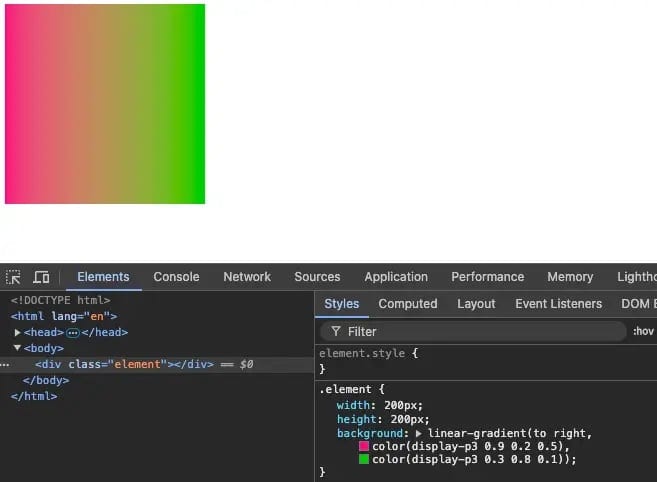
Interpolation color spaces are especially important in animations. If you’re designing dynamic color-changing elements, using the correct color space ensures smoother transitions and a better visual experience.
7. Forced Colors
The forced-colors media query detects whether the user’s system has enabled forced color modes (such as high-contrast mode). It allows developers to adjust a website’s colors based on the user’s system settings, ensuring accessibility under different conditions.
For example:
@media (forced-colors: active) {
  .element {
    background-color: ButtonFace;
    color: ButtonText;
  }
}
In this case, when forced colors are active, the background-color and color properties are set to the system's button face and text colors, ensuring good readability and usability in high-contrast mode.
If you found this helpful, consider subscribing to my newsletter for weekly web development insights and updates. Thanks for reading!